
#TechBytes: How to sync browser bookmarks across devices
What's the story
In today's digital age, accessing your bookmarks across different devices can be a lifesaver. It saves time and keeps you productive. Most browsers have built-in features to sync bookmarks, but many users don't know how to use them properly. This article gives you practical tips to make sure your bookmarks are always available on any device you use. With these steps, you can easily access your favorite sites, no matter where you are.
Tip 1
Use browser account for syncing
Most browsers allow you to create an account that syncs your data across devices. By signing into your browser account on all devices, you can ensure that your bookmarks are automatically updated everywhere. This way, if you add or remove a bookmark on one device, the changes will reflect on all others without any manual effort.
Tip 2
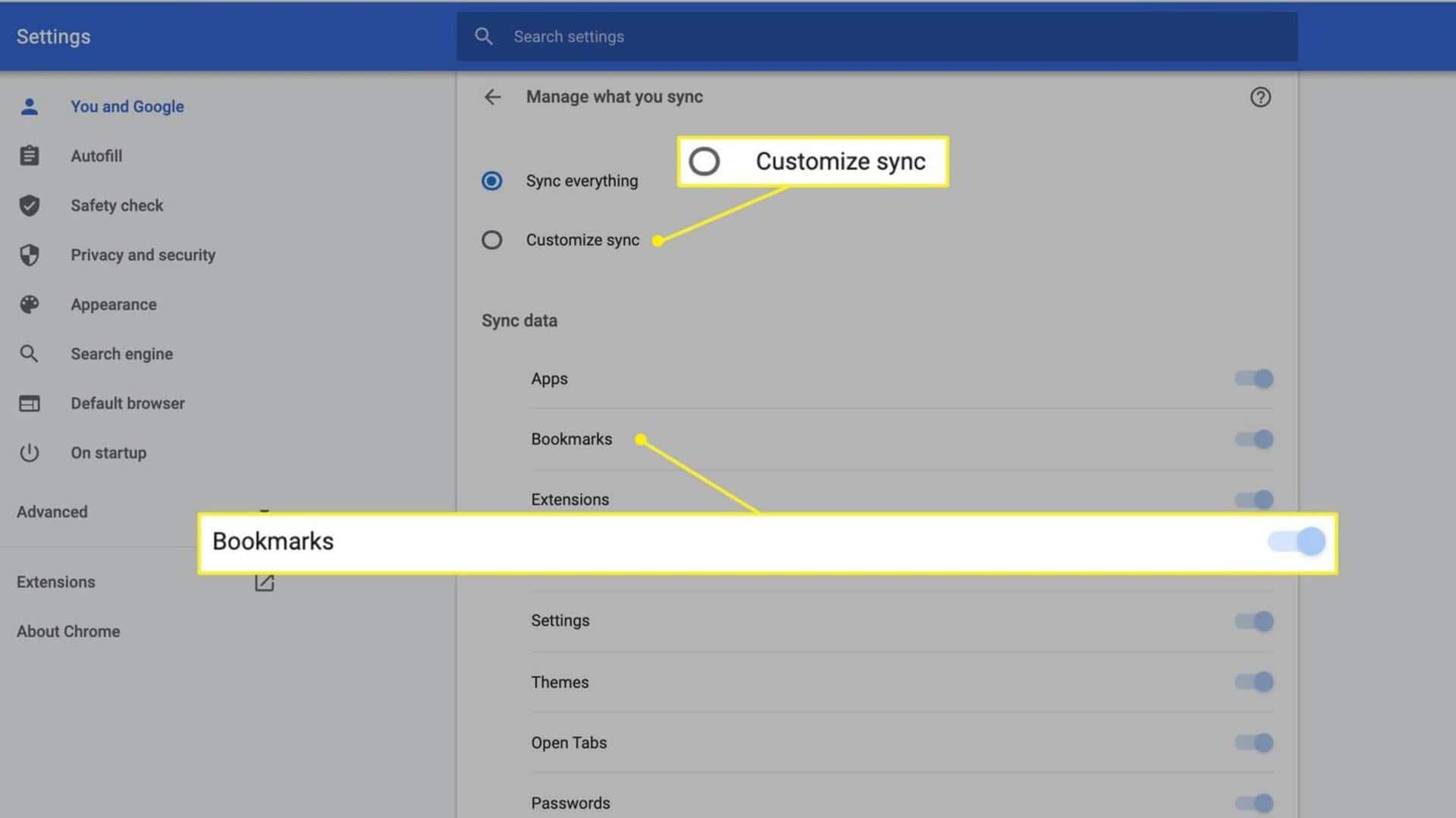
Enable sync settings
To make sure your bookmarks sync across devices, you need to enable sync settings in your browser's settings menu. Usually, there's an option to select what data you want to sync—like bookmarks, history, passwords, etc. By making sure that "Bookmarks" is selected, you can guarantee that they will be synced across all devices linked to your account.
Tip 3
Update browser regularly
Keeping your browser updated is key to seamless syncing of bookmarks. Updates often come with bug fixes and improvements that enhance the syncing process. By regularly checking for updates or enabling automatic updates in the settings menu, you can avoid potential issues with bookmark synchronization.
Tip 4
Check internet connection
A stable internet connection is essential for syncing data across devices in real time. If you're having trouble with bookmark syncing, check if your device is connected to the internet. If you're on a weak network, try switching to a stronger one, or wait until you get better connectivity before trying again.
Tip 5
Use third-party tools cautiously
While there are third-party tools available for syncing bookmarks across different browsers or platforms, use them with caution. These tools may not always guarantee security or reliability as compared to built-in browser features. If you choose to use such tools, make sure they come from trusted sources and read user reviews before proceeding.