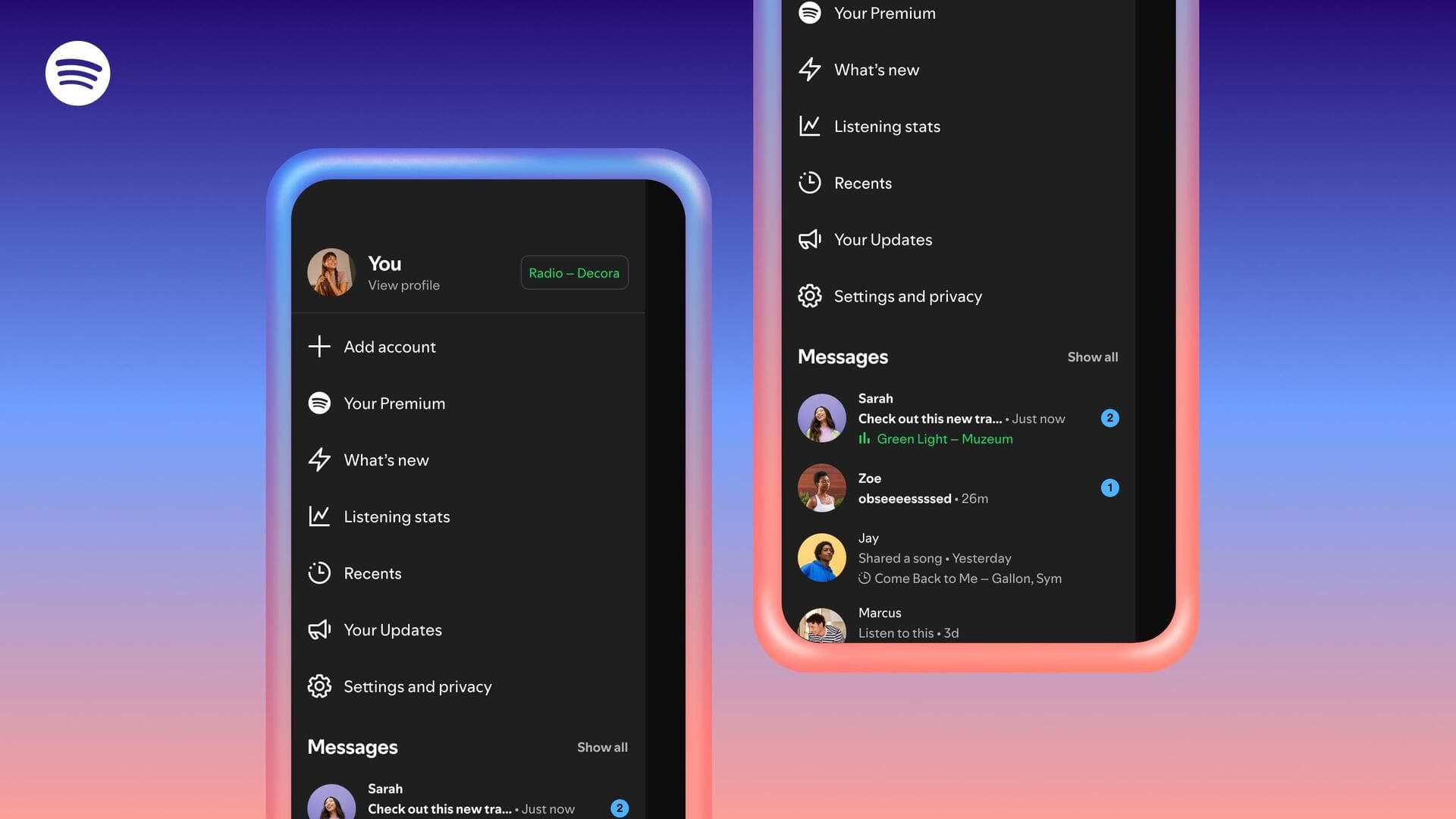
Spotify now shows real-time streaming activity of your friends
What's the story
Spotify has introduced a new "Messages" feature, allowing users to see their friends' real-time streaming activity. The update is part of the company's effort to enhance its social capabilities and keep users engaged within the app. To enable this feature, users need to go into their Settings and toggle on "listening activity" under the "Privacy & Social" section.
User guide
How to use the new 'Messages' feature
Once the "listening activity" is enabled, it will show up at the top of Messages chats.
Users can tap on a friend's listening activity to play/save/open menu/react with an emoji.
Premium users can also send requests to start "Jams," Spotify's collaborative listening feature, by tapping the "Jam" option in the top-right corner of their screen.
Jam details
'Jam' feature: A collaborative listening experience
When a user accepts a "Jam" request, they become the host and both can add tracks to a shared queue for simultaneous listening.
The new features will be rolled out on iOS and Android apps in markets where Messages is available by early February.
While all users with access to Messages can use Listening Activity, only free users invited by a premium user can join a Request to Jam session.
Age restriction
New features are age-restricted
As both new features are available through Messages, they are only accessible to users aged 16 and above.
The streaming platform launched Messages in August 2025 as part of its strategy to become a more social app.
While users have been sharing Spotify links for music/podcasts outside the platform, these new messaging capabilities indicate a shift toward keeping more interactions within the app itself.