How to create custom YouTube feeds using Gemini AI
What's the story
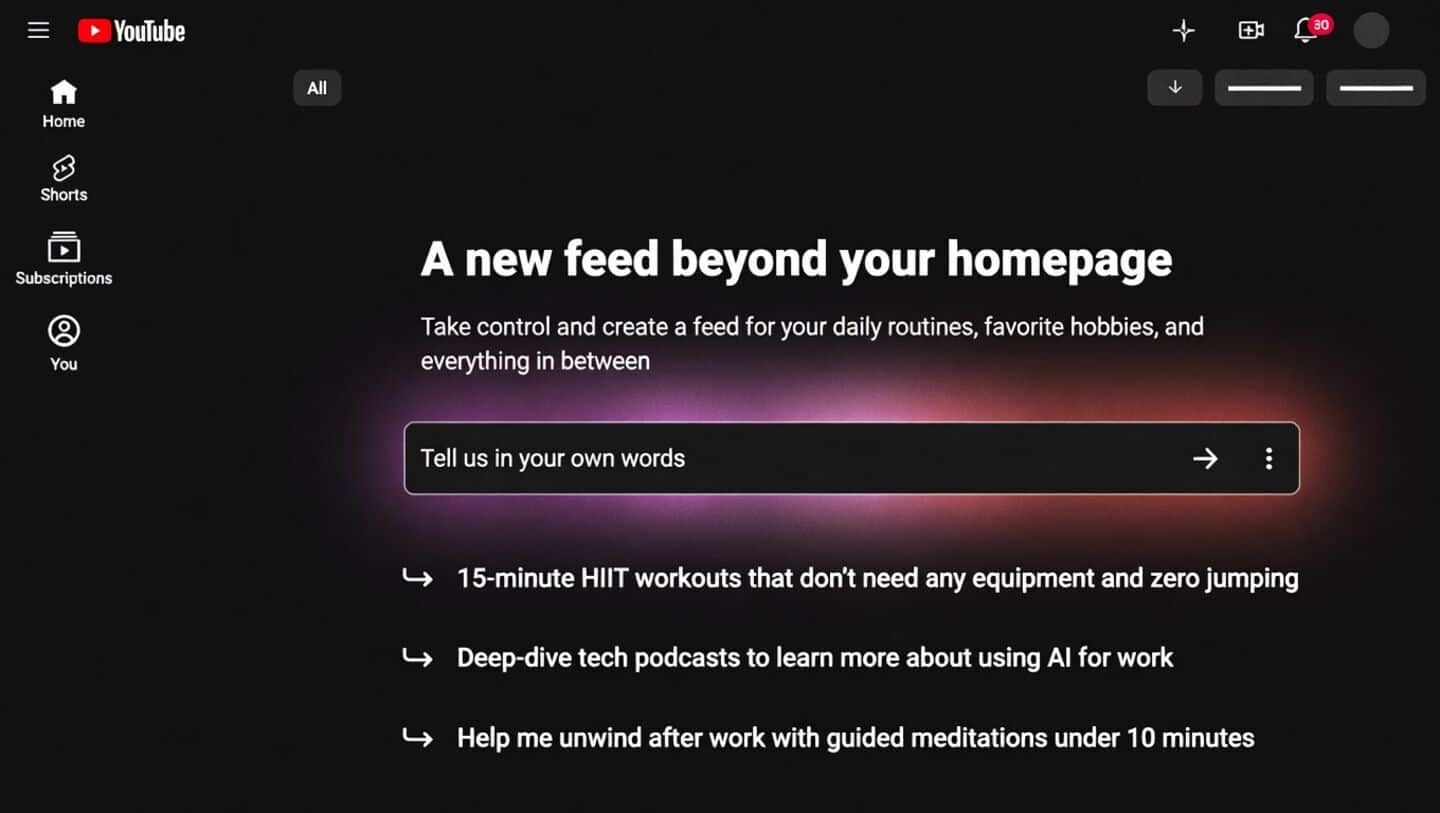
YouTube has launched a new 'custom feeds' feature, leveraging the power of its Gemini AI. The innovative tool gives users more control over their content experience by allowing them to personalize what they see on their feed. "Simply enter a custom prompt... and we'll create a new, constantly refreshing feed that you can quickly jump into at any time," YouTube said in an announcement on its official community forum.
User control
How it works
The custom feeds feature allows users to create recommendation feeds based on their interests, mood, or specific viewing goals.
Instead of relying solely on algorithmic suggestions, users can enter specific prompts like "show me something different from my regular feed" or "help me relax after work with meditation videos under 10 minutes."
YouTube's AI will then generate a custom feed based on these inputs.
Usage guide
How to use the new feature
To access the new feature, users need to open the YouTube app on their phone and ensure that search and watch history is enabled.
They will then see "Your custom feed" chip pinned at the top of their homepage.
Users can either enter a specific prompt or choose from automated suggestions provided by YouTube.
If they find the recommendations becoming repetitive, they can directly edit the text prompt inside the feed's header to refresh it instantly.
Feature limitations
Availability and requirements
Currently, the custom feeds feature is only available to US users of YouTube's mobile app and is limited to English language.
However, it should be noted that this feature only works if search and watch history are enabled on YouTube.
This means users have to let Google track their searches and viewing habits continuously for the feature to work effectively.
AI disclaimers
YouTube will now add disclaimers to AI-generated content
In another development, YouTube has announced that it will automatically add disclaimers to 'photorealistic and meaningfully AI altered' content.
The labels will be displayed directly beneath the video player for long videos and as an overlay on the video itself for Shorts.
This move is aimed at helping users identify whether a particular piece of content was created using artificial intelligence or if it is real footage.