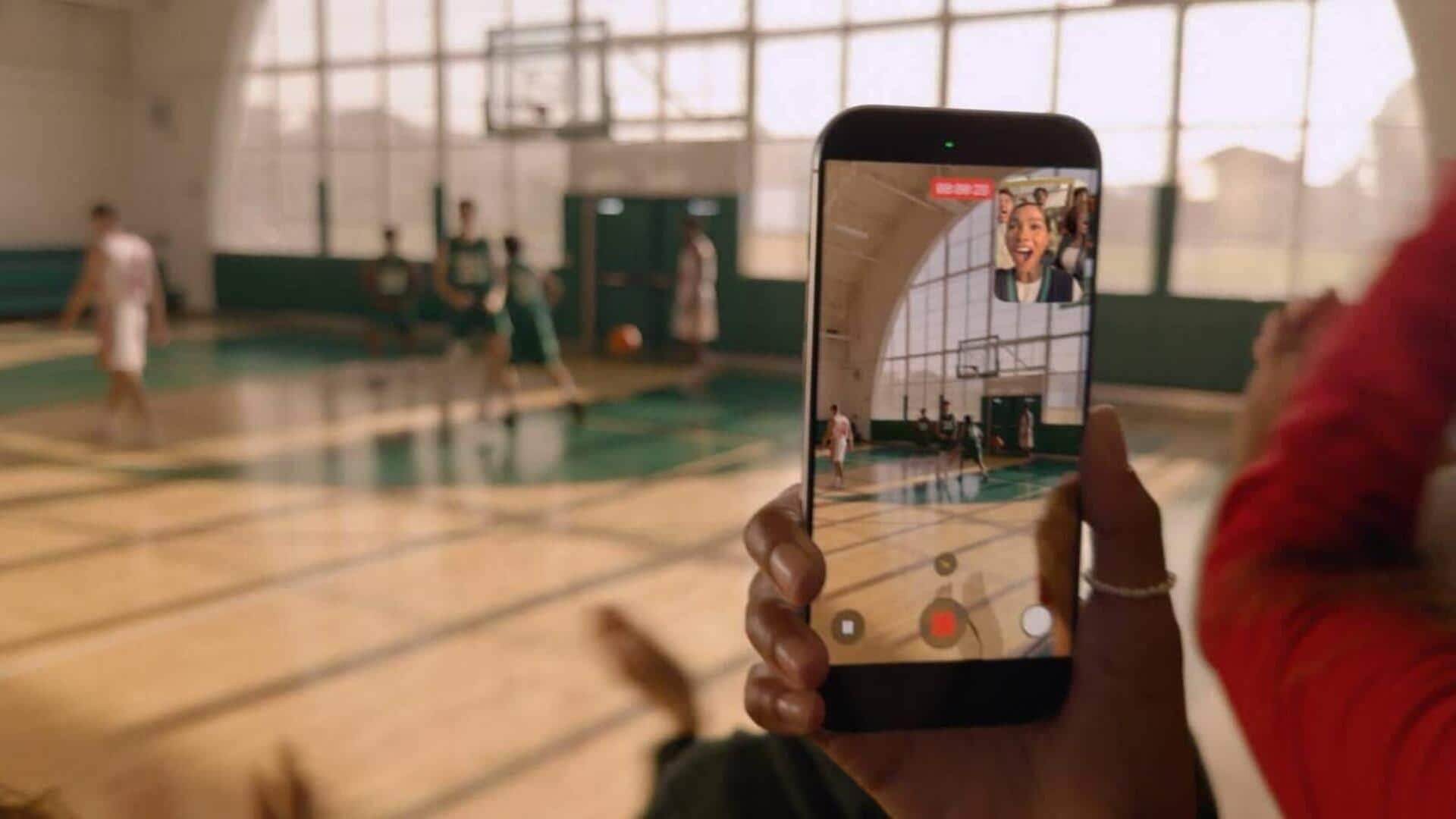
How to use iPhone 17's Dual Capture video mode
What's the story
Apple has introduced a new feature called Dual Capture with the launch of its iPhone 17 series. The innovative tool allows users to record videos using both the front and rear cameras at the same time, creating a single picture-in-picture video. This is particularly useful for reaction videos, tutorials, travel clips, or casual commentary where you want to stay on screen while capturing your surroundings.
Feature availability
Dual Capture: A feature for all iPhone 17 models
The Dual Capture feature is available on all models of the iPhone 17 series, including the sleek iPhone Air as well as the more powerful Pro variants.
There is no need for a separate app or additional setup apart from a few taps within the Camera app.
This aligns with Apple's design philosophy of prioritizing ease of access over customization.
User guide
How to enable Dual Capture on iPhone 17
To use Dual Capture, users need to open the Camera app on their iPhone and switch to Video mode.
After selecting Video, they have to tap a small icon made up of dots in the top-right corner of the screen.
From the menu that appears, they can select Dual Capture and then tap anywhere inside the viewfinder for recording from both cameras simultaneously.
User convenience
Dual Capture remembers your preference for convenience
After using Dual Capture once, the Camera app remembers it for the rest of that session.
A dedicated icon appears in the top-right corner, letting you toggle Dual Capture on or off instantly without opening the menu again.
This small touch makes repeated use far less fiddly and improves user experience significantly.
Recording flexibility
Dual Capture offers flexibility during recording
On iPhone 17 Pro and Pro Max models, users can switch between the 48MP main camera, the 48MP ultrawide, and the 48MP telephoto lens while recording.
This lets you adjust framing or zoom levels without interrupting the clip.
The front camera preview window is also fully draggable to avoid blocking important parts of the scene.
However, this positioning is baked into final video playback later.
Video quality
Dual capture supports 1080p and 4K resolutions
Dual Capture supports recording at either 1080p or 4K resolution, with frame rates of 24fps or 30fps.
If you plan to edit your footage later, 4K at 30fps offers the most flexibility while maintaining smooth motion and detail.
However, it's important to note that Apple restricts Dual Capture into a single layout where the rear camera dominates the frame and the front camera remains in a smaller overlay.