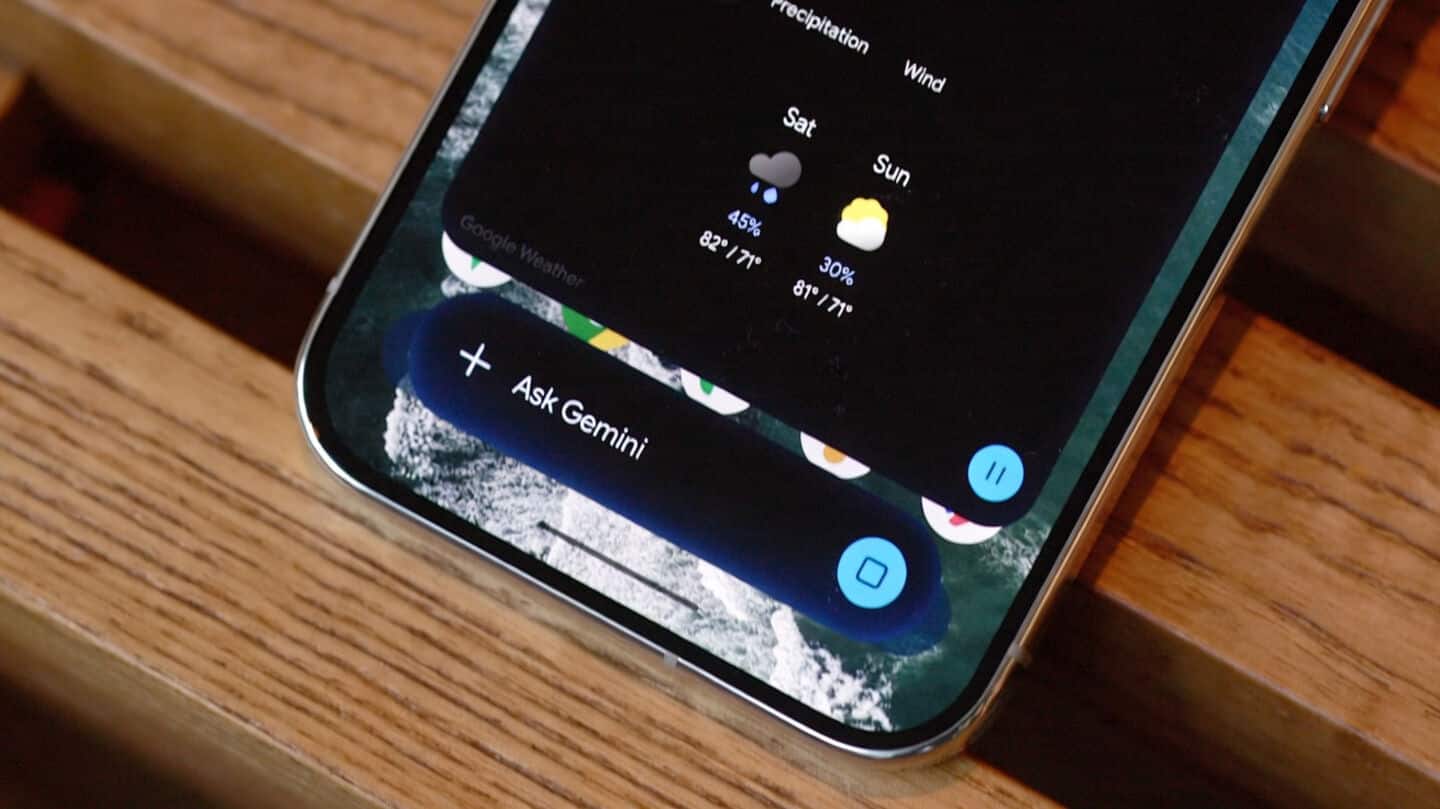
Google Gemini now lets you minimize tasks into floating bubbles
What's the story
Google has updated its Gemini overlay on Android, introducing a multitasking feature. The new addition gives users a floating bubble shortcut when they minimize their tasks. It now features a "Minimize" button above the container, which appears as soon as you enter a prompt. The update is aimed at improving user experience by allowing seamless multitasking without leaving the current task or application.
Feature details
How to use the new multitasking feature
This "Minimize" button collapses the overlay into a bubble with the spark logo.
The company explains that "Gemini is still available while you multitask. Tap to expand. Drag to move or dismiss."
However, it is worth noting that this bubble is fixed to one of six positions and can't be placed anywhere on the screen.
User experience
Bug that resets bubble position
A bug has been reported that resets the bubble to the bottom-right corner after every minimization. However, users can tap outside the sheet after a response has loaded to get back the bubble.
Using system back gesture will close the entire overlay while dragging can be used to dismiss it.
This provides some control over how users interact with this new feature despite its current limitations.
Improved productivity
The new update improves productivity
The new multitasking feature is more efficient than opening the Gemini app and then the side panel to return to a conversation.
Users can ask a question and then minimize it to do something else instead of waiting for a response.
This way, the update improves productivity by letting users handle multiple tasks simultaneously without interruption.
Feature availability
Rollout and Android 17's system bubble option
The Minimize button and Gemini bubble are being rolled out widely on Android today. Users can also use Android 17's system Bubble option with the Gemini app for an even richer experience.