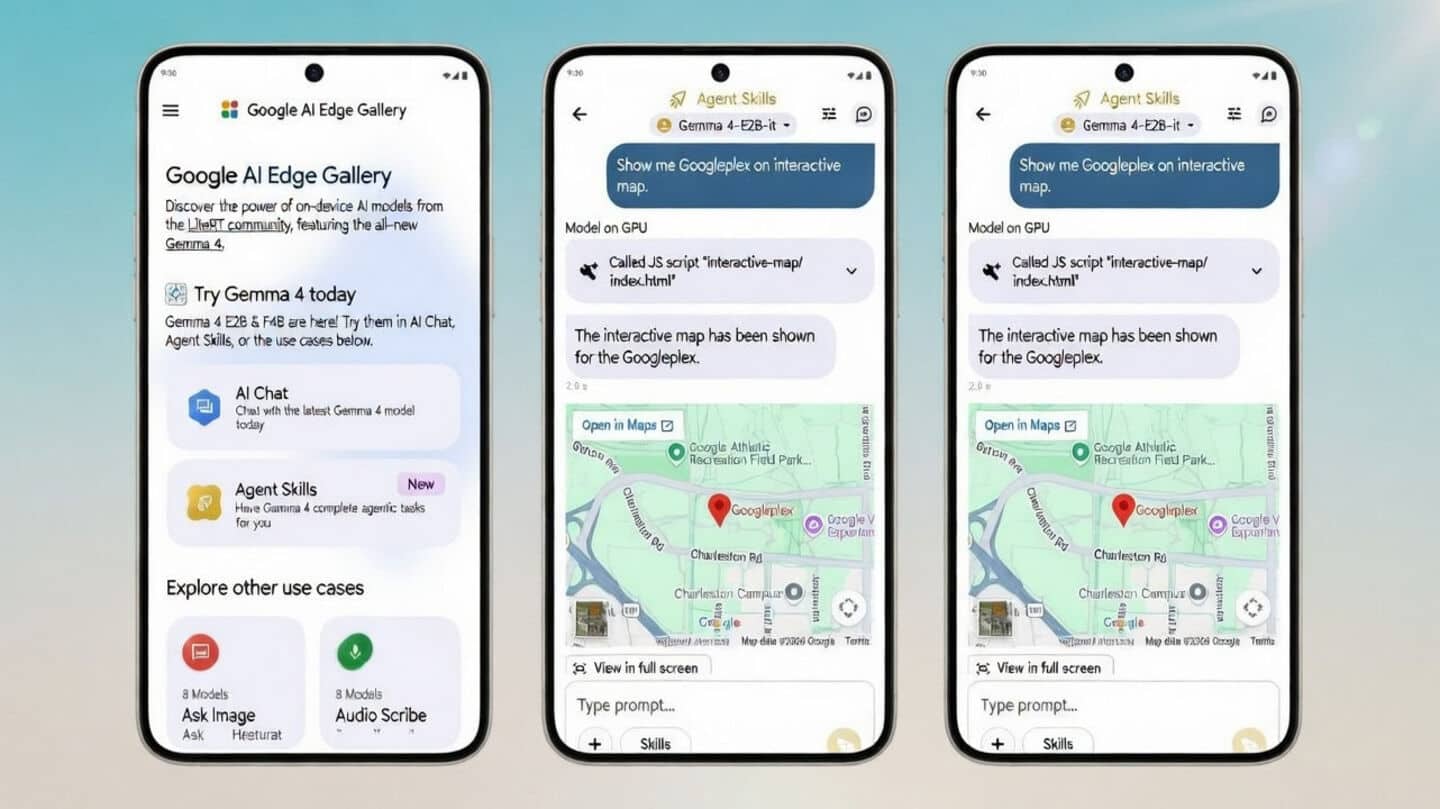
How to run Google's powerful AI models directly on phone
What's the story
Google has launched a new app, the AI Edge Gallery, that lets you run its Gemma 4 and other advanced artificial intelligence (AI) language models directly on your Android or iOS device. The app is focused on on-device AI, meaning all processing takes place locally on your smartphone without any need for cloud access. The best part is that it works offline and is open-source.
App capabilities
The app supports multimodal inputs
The AI Edge Gallery app supports models like Gemma 4, including its E2B and E4B variants, depending on the device's performance capability.
The offline AI processing guarantees privacy as data never leaves your device.
It also supports multimodal inputs such as text, images, and audio for a comprehensive user experience.
Feature highlights
'Thinking mode' to show how queries are processed
The AI Edge Gallery app comes with an array of advanced features.
These include an AI Chat with a "Thinking Mode" that shows how the model processes queries, and Agent Skills for task-based assistance using tools like Wikipedia and interactive elements.
The app also provides Ask Image for visual queries, Audio Scribe for real-time transcription/translation, and Prompt Lab to test different prompts with adjustable parameters.
Additional features
Model management tools and mobile actions
The AI Edge Gallery app also offers Model Management tools to download and benchmark models. You can even automate tasks offline with Mobile Actions.
Plus, there's an experimental interactive feature powered by AI called Tiny Garden.
All these capabilities make the app a powerful tool for anyone interested in exploring on-device AI technology.
User guide
How to download and use the app?
The AI Edge Gallery app can be downloaded from the Google Play Store or Apple App Store.
Being an open-source project, users can also access its source code on GitHub.
To use the app, simply download and install it, then choose a mode like AI Chat or Audio Scribe.
You can select a model based on your device's performance capability and start interacting with it locally on your device.