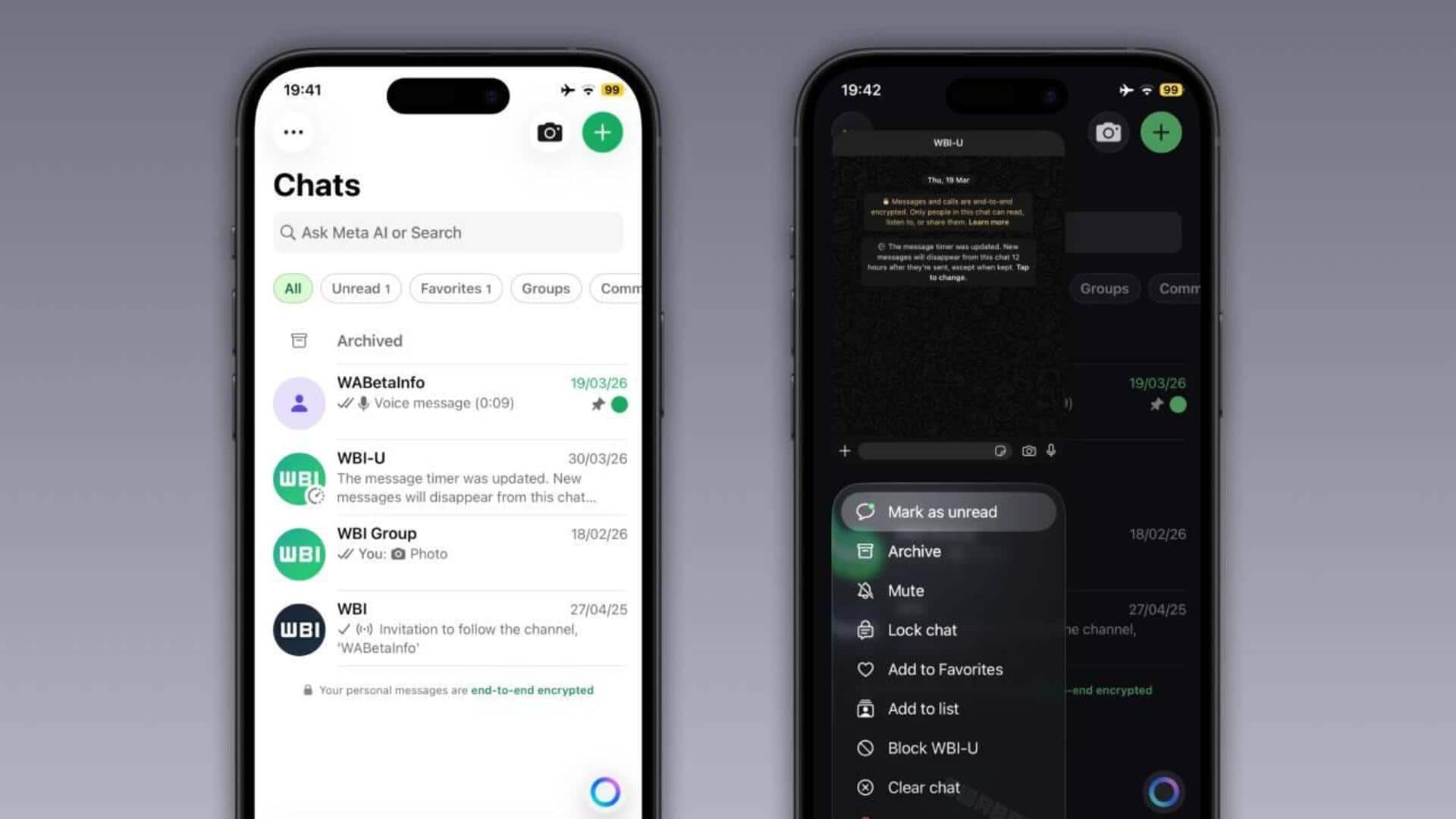
WhatsApp for iOS gets 'Liquid Glass' design: How to enable
What's the story
WhatsApp has started rolling out its new 'Liquid Glass' interface for iPhone users. The design, which was first introduced with iOS 26, offers a cleaner and more modern aesthetic with an emphasis on transparency and layered effects. The update is being gradually adopted across the platform to provide a consistent experience for both regular and business users.
Design elements
Revamped tab bar for a fresher look
The most notable change in this update is the revamped tab bar. It now appears to float above the screen, creating a sense of depth.
Its semi-transparent design allows users to see faint outlines of background elements, especially when switching tabs.
If you don't see this updated style after installing the latest version of WhatsApp, it means your account hasn't received Liquid Glass yet.
UI updates
Buttons and menus also get a frosted glass-like design
Along with the tab bar, buttons and menus have also been given a frosted glass-like design with smooth animations.
Context menus now appear more transparent and visually lighter as well.
The keyboard has also been revamped to offer a more modern interface for typing across both light and dark modes.
These changes make the app feel lighter and more integrated into the system aesthetic compared to older designs.
Gradual release
How to get the new 'Liquid Glass' look
The rollout of the Liquid Glass interface has been slow, possibly due to WhatsApp testing performance and user feedback before expanding it to everyone.
The feature is still under development, with more elements expected to adopt the Liquid Glass design in future updates.
To get this new look, users simply have to update WhatsApp from the App Store and ensure their iPhone is running iOS 26.